
Company settings
Set your shop's name, logo, timezone, sales tax, quote defaults, terms, slab size, crew price access and Google review link.
Company settings hold the details SlabBoard uses everywhere: your logo on quotes and invoices, your sales tax, the terms your customers sign, and the timezone that decides what "today" means for your crews. Set them once when you start, and update them when something changes.
Before you start
Only the Owner and Admin roles can open Company settings.
Open company settings
- Click your company name at the top of the menu.
- Click Company settings.
- Make your changes on any tab, then click Save changes.
Company tab
| Field | What it's for |
|---|---|
| Name | Your shop's name, shown to customers on quotes, emails and links. Required. |
| Used as the reply-to address on emails SlabBoard sends your customers, so their replies reach you. | |
| Phone | Shown to customers on quotes, invoices and reminders ("Questions? Call…"). |
| Website | Your website address. |
| Address, City, State, Zip | Printed on documents and used in the check instructions on invoices ("mail it to…"). |
| Timezone | Eastern, Central, Mountain, Arizona or Pacific. Required. |
| Logo | Shown on customer pages and PDFs. |
Important: Pick the right Timezone. It decides which visits show as "Today" in the field app and on the dashboard, and which appointments get a reminder the day before.
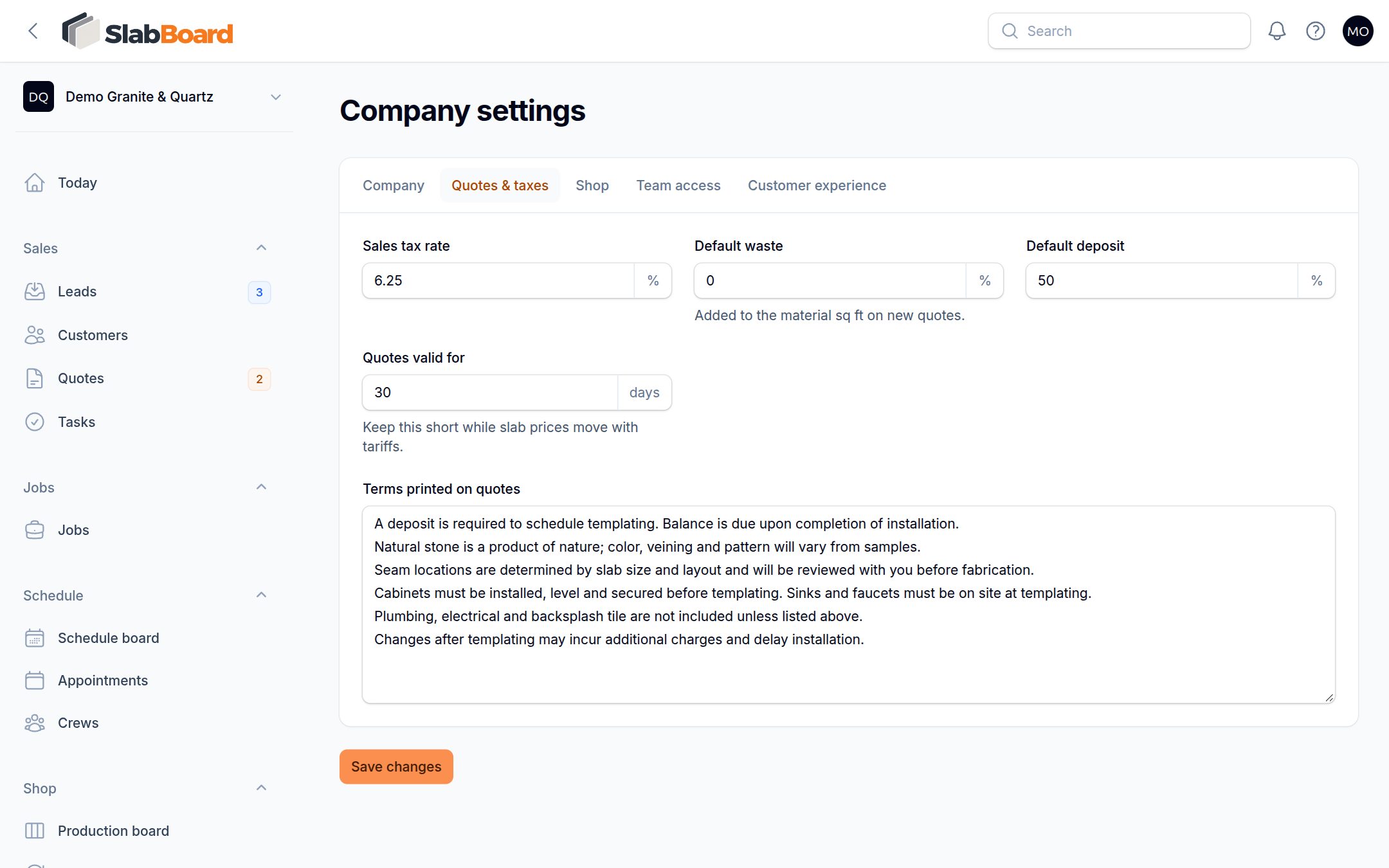
Quotes & taxes tab
| Field | What it does |
|---|---|
| Sales tax rate | Tax percent used on new quotes (0 to 20%). Customers marked Tax exempt are charged 0%. |
| Default waste | Percent added to the material sq ft on new quotes. |
| Default deposit | Deposit percent asked for when a quote is approved. |
| Quotes valid for | Number of days a new quote stays open. After that, the customer can't sign it online. |
| Terms printed on quotes | The terms your customer sees and agrees to when they sign, also printed on the quote PDF. |
New shops start with six standard terms lines: deposit, natural stone variation, seam locations, site readiness, what's not included, and changes after templating. Edit them so they match how your shop works.
Good to know: These are defaults for new quotes. Changing the tax rate or validity doesn't change quotes you already made. To extend one quote, edit it and change its valid-until date.
Shop tab
Default slab length and Default slab width (in inches) are the slab size used for materials that don't have their own size. A material's own slab size always wins.
Team access tab
Show job prices to the field crew controls whether templaters, installers and fabricators see money.
- Off (default): they don't see contract amounts, balances, change order amounts or costs. When an installer collects a check in the field app, they type the amount written on the check.
- On: they see those amounts, and the job balance is filled in for them when they collect a check.
Owner, Admin, Office and Sales always see prices.
Customer experience tab
Google review link is the link to your Google review page. SlabBoard emails it to the customer when the office marks a job completed, once per job, and only if the customer has an email. You can also send it from the job with Ask for Google review.
Good to know: A job finished with the Customer sign-off in the field app doesn't send the review request. Use Ask for Google review on the job for those.
Related
Still stuck?
Write to us and a real person will answer. [email protected]