
Welcome to SlabBoard
A quick tour of SlabBoard's office app, field app and customer links, and who on your team uses each one.
SlabBoard runs a countertop shop from the first call to the final check: quotes, drawings, slab layouts, jobs, scheduling, the shop floor and invoices. This page explains the three parts of SlabBoard and who uses each one.
How your shop gets started
There is no sign-up form. SlabBoard sets up each shop for you after a demo. When your shop is ready, the owner gets an email with a link to set a password. Then you sign in and land on the Today dashboard.
Your new shop already has:
- A price book with 21 common items (edges, cutouts, sinks, backsplash, services and a trip fee).
- 12 lead sources (Google, Website, Referral, Houzz and more).
- Two crews: Template Team and Install Crew 1, with no members yet.
- Six standard lines of quote terms.
You add your materials, your team and your company details. The first day checklist walks you through it in order.
The office app
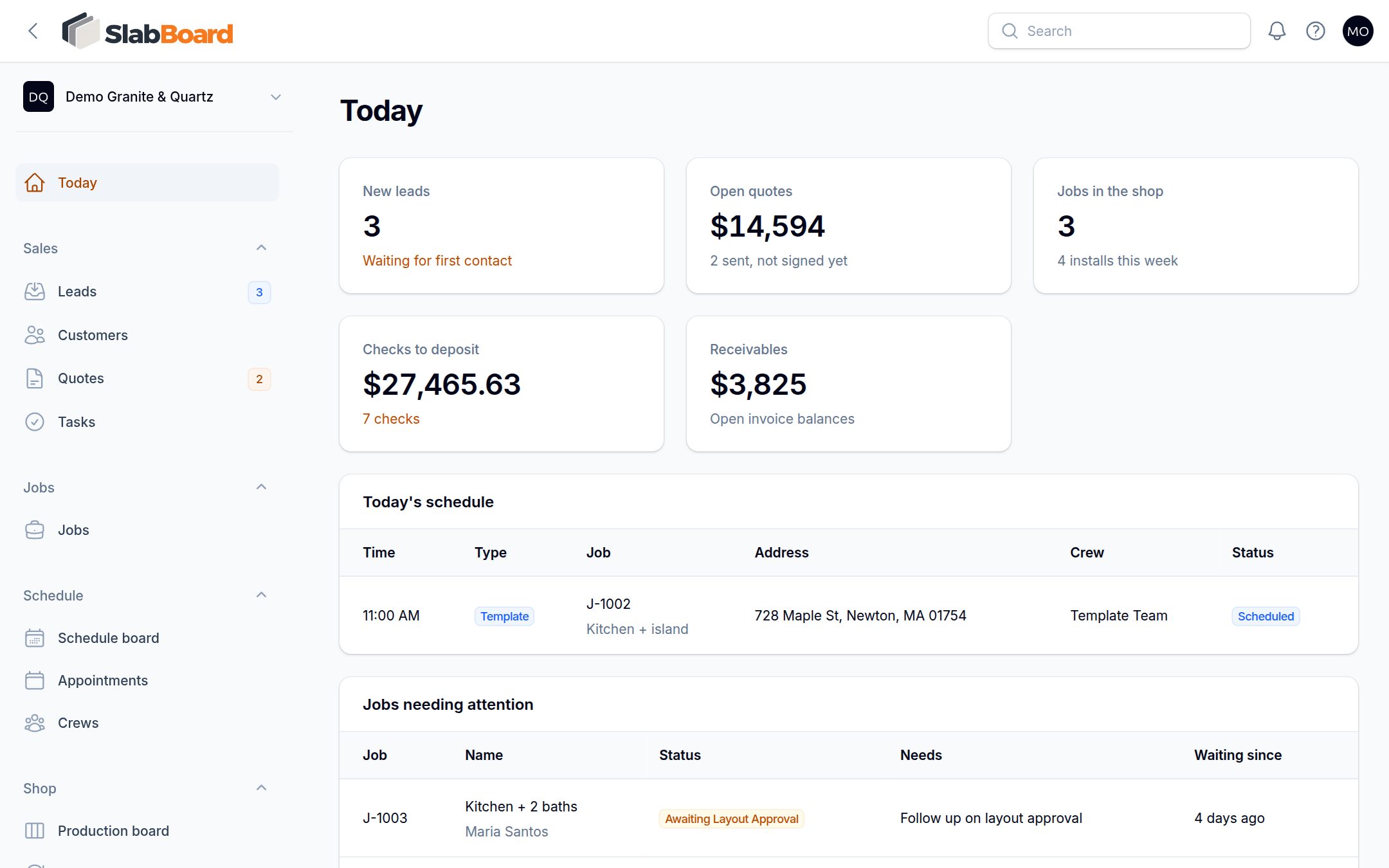
The office app is where owners, office staff and salespeople work. It runs in any web browser on a computer or tablet. The menu on the left is grouped by area:
| Menu group | What you do there |
|---|---|
| Sales | Leads, customers, quotes and tasks |
| Jobs | Every sold job, from template to install |
| Schedule | Appointments, the schedule board and crews |
| Shop | Production board and remakes |
| Inventory | Materials & colors, slabs, suppliers and purchase orders |
| Finance | Invoices, payments, checks and bank deposits |
| Service | Service tickets after the install |
| Compliance | Silica program records |
| Reports | Sales, lead source and margin reports |
| Settings | Team, price book, lead sources, locations, online payments, integrations and your plan |
Some menu groups only show up if your plan includes them, and each person only sees the screens their role allows. See Team members and roles.
Tip: Click the ? icon at the top right of any screen to open the help article for that screen.
The field app
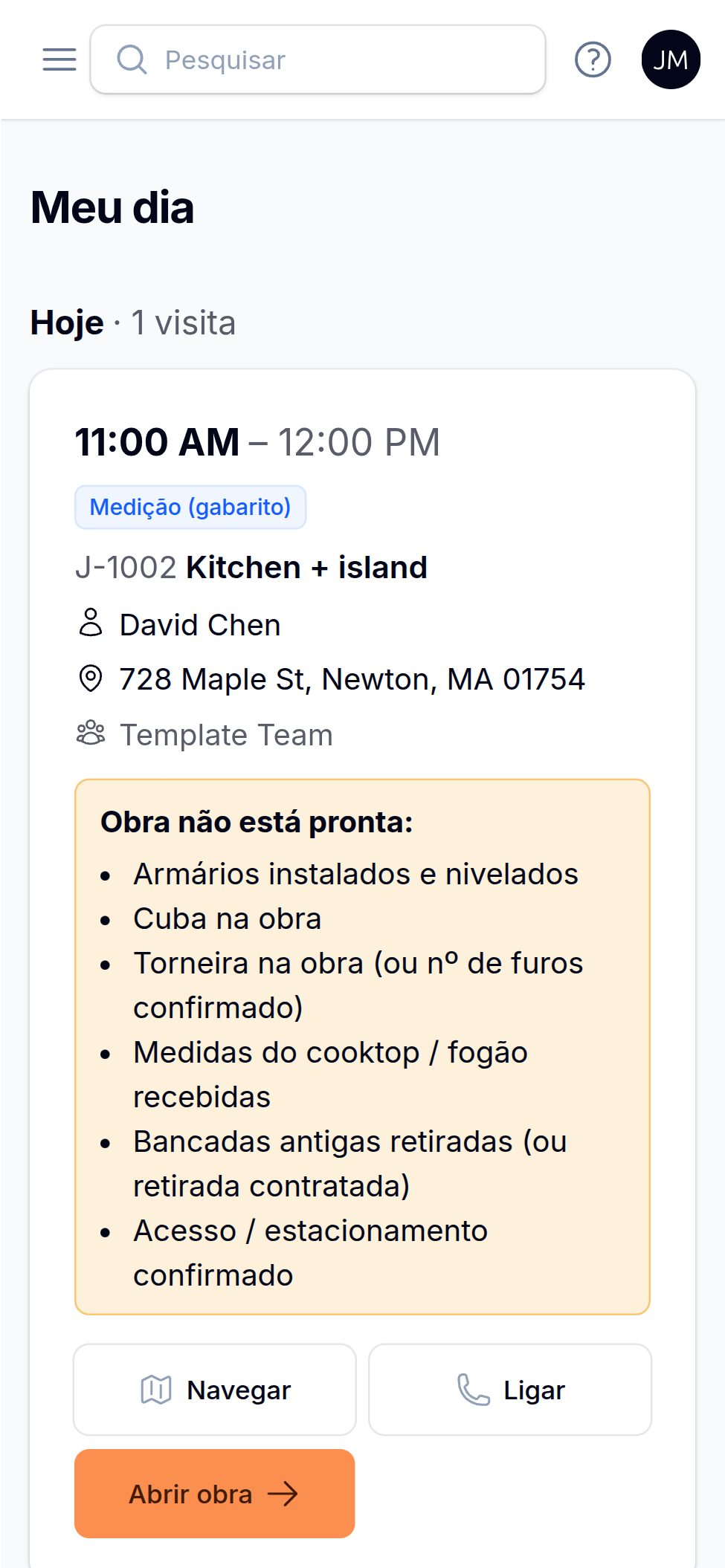
Templaters and installers use the field app on their phone. It shows My Day (their visits for the next 7 days) and Jobs (the jobs they are scheduled on). From a job they can start and finish a visit, add photos and notes, report a problem, upload template files, collect a check and get the customer's signature at the install.
The field app works in English, Portuguese and Spanish. Each person picks their language. Crews can install it on their home screen with the Install app button. See Get started with the field app.
Customer links
Your customers never need a login. SlabBoard emails them a link, and they open it on any phone or computer to:
- Review a quote, pick a material option and sign it online.
- Approve a slab layout (Pro and Premium).
- Approve or decline a change order.
- View an invoice and, if you accept online payments, pay it by card or bank transfer.
See What your customer sees for each page.
Who uses what
| Role | Usually uses |
|---|---|
| Owner, Admin | Everything in the office app, plus settings and billing |
| Office | Quotes, jobs, schedule, invoices, checks and the price book |
| Sales | Leads, customers, quotes and invoices |
| Templater, Installer | The field app |
| Fabricator | The production board, remakes and slabs |
Every plan includes unlimited users, so add your whole crew.
Related
Still stuck?
Write to us and a real person will answer. [email protected]