
Appointment reminders and review requests
Learn how SlabBoard reminds customers the day before a template or install, how to send a reminder by hand, and how to ask for a Google review.
No-shows cost you a crew trip. SlabBoard emails your customers the evening before each visit, and texts them on the Pro plan, so cabinets are in and the sink is on site when your crew arrives. When the job is done, it can also ask the customer for a Google review.
Before you start
- Email reminders are on every plan (feature Scheduling & Crews). Text (SMS) reminders need the Pro plan (feature SMS Reminders).
- The customer needs an email address for emails and a phone number for texts. The customer comes from the visit's job.
- Text messages are sent through SlabBoard. Settings → Integrations shows Twilio SMS as Connected when texting is available. There is nothing for you to set up.
Automatic reminders
Every day at 5:00 PM Eastern time, SlabBoard looks for visits happening tomorrow (in your company's time zone) that are Scheduled or Confirmed and haven't had a reminder yet. For each one, it sends:
- An email with the subject "Reminder:" plus the visit type and day, the time and address, and what to get ready:
- Template: "Please make sure cabinets are installed and your sink and faucet are on site."
- Install: "Please clear the countertop area and make sure plumbing is disconnected (unless we're doing it for you)."
- On the Pro plan, a View job status button that opens the customer's job page.
- A text (Pro only): "{Your company}: reminder of your template on Tue Oct 27 at 9:00 AM. Questions? Call {your phone}. Reply STOP to opt out."
This works for every visit type with a customer: estimate visits, templates, installs, deliveries, repairs and service.
Good to know: Each visit gets one reminder, whether it was sent by hand or automatically. Moving the visit to another day doesn't send a new one.
Send a reminder by hand
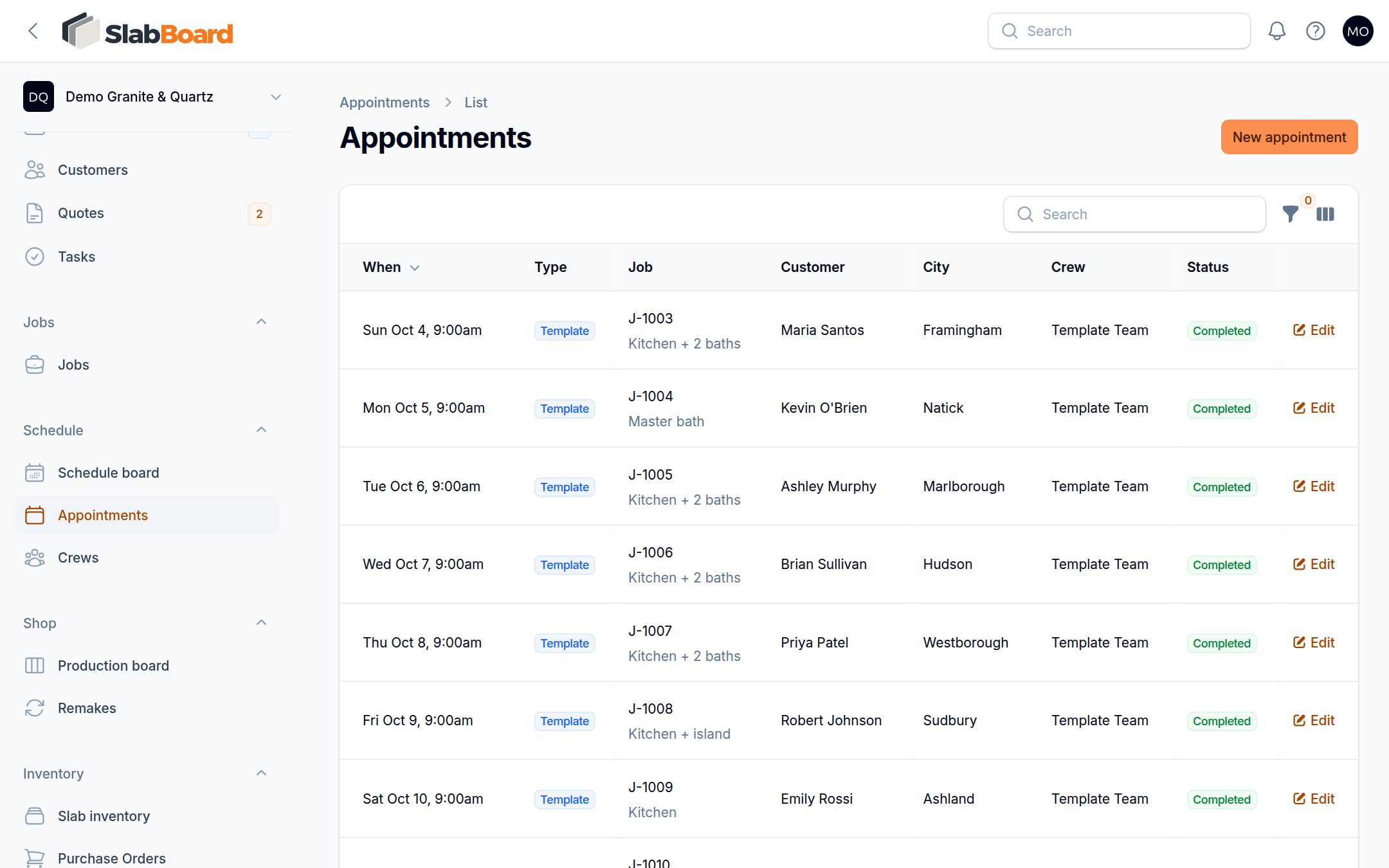
- Go to Schedule → Appointments.
- Open the row's … menu and click Send reminder. It shows for Scheduled and Confirmed visits.
- You see "Reminder sent", or "Customer has no email address".
Important: A reminder sent by hand is email only. Because each visit gets one reminder, sending one by hand also means the automatic text won't go out for that visit. On Pro, let the automatic reminder go out if you want the customer to get a text.
To see which visits already had a reminder, turn on the Reminder column in the Appointments list.
Ask for a Google review
- Go to Company settings → Customer experience and paste your Google review link.
- When a job is done, click Mark completed on the job page. SlabBoard emails the customer once: "How did we do, {name}?" with a Leave a review button.
- To send it again, or for a job you already closed, click … → Ask for Google review on the job page. You see "Review request sent".
The review request needs a customer email. If the customer has none, nothing is sent.
What isn't sent
- No text when a crew is on the way.
- No reminder for a visit that is In Progress, Completed, No Access or Cancelled.
- No notice to the customer when you create or move a visit. Call them or send a reminder by hand.
Related
Still stuck?
Write to us and a real person will answer. [email protected]