
Set up crews
Create your template and install crews, set how many visits each can handle a day, and add the people who see those visits in the field app.
A crew is a team you send to job sites, like your template team or an install crew. You book visits for a crew, and the people in that crew see those visits in the field app. Each crew has a daily capacity, so the schedule board can warn you when a crew is overbooked.
Before you start
- Crews are on every plan (feature Scheduling & Crews).
- Owners, Admins and Office users can manage crews.
- Add your templaters and installers as team members first, so you can put them on a crew. See Team and roles.
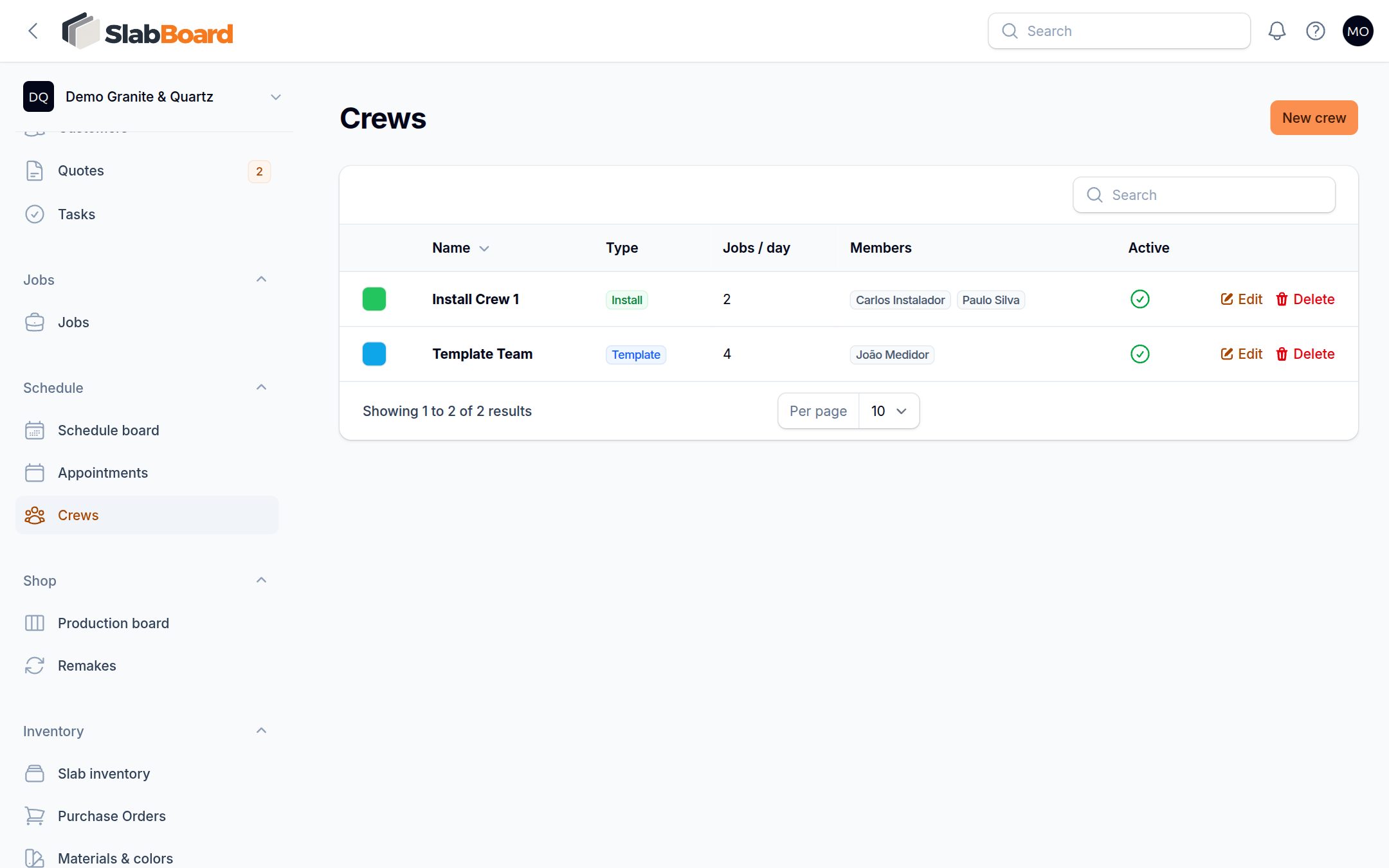
New shops start with two crews: Template Team (4 visits a day) and Install Crew 1 (2 visits a day). They have no members yet.
Add or edit a crew
- Go to Schedule → Crews.
- Click New crew, or click Edit on an existing crew.
- Fill in:
- Name, for example "Install Crew 2".
- Type: Template, Install, Template & Install, Delivery or Service.
- Color: used on the schedule board.
- Jobs per day: how many visits this crew can handle in a day.
- Members: the people on this crew.
- Active: turn off a crew you no longer use.
- Save.
Why members matter
The field app shows each templater or installer only the visits of the crews they belong to, and only jobs with a visit coming up for their crew. Someone who is not on any crew sees an empty field app.
Important: If an installer says "I don't see the job", check that they are a Member of the crew on the visit, and that the visit has a Crew (not Unassigned).
Owners, Admins and Office users see every crew's visits in the field app.
Capacity on the schedule board
On Schedule → Schedule board, each crew's row shows its jobs per day, and each day shows visits booked / capacity. When a crew has more visits than its Jobs per day, the cell turns red. SlabBoard still lets you book it. The warning is for you to decide.
Turn off a crew
Turn off Active instead of deleting a crew. Inactive crews disappear from the crew list when you book visits and from the schedule board. Their existing visits show in the Unassigned row, so reassign them.
Related
Still stuck?
Write to us and a real person will answer. [email protected]