
Integrations
See which outside tools are connected to your shop, what each one does in SlabBoard, and which plan it needs.
The Integrations page shows, in one place, the outside services SlabBoard works with and whether each one is ready for your shop. Each card shows a status and whether it's included in your plan.
Before you start
Only the Owner and Admin roles can open Settings → Integrations. The cards are for information; there's nothing to type or connect on this page itself.
Open the Integrations page
- Go to Settings → Integrations.
- Read the status on each card. Under it, you see Included in your plan or Not in your plan — upgrade to the plan that has it.
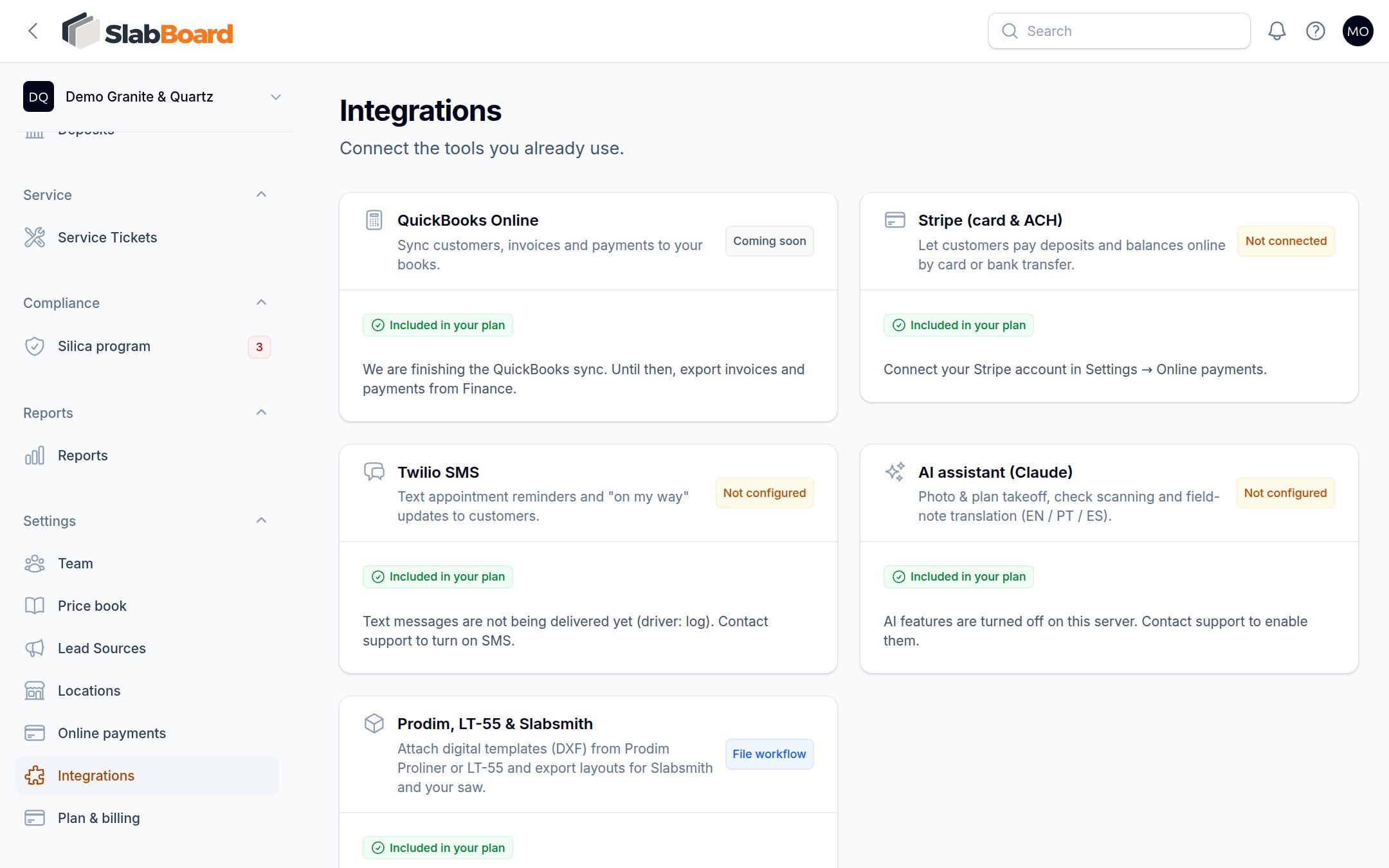
What each card means
| Card | Status you may see | What it does today |
|---|---|---|
| QuickBooks Online | Coming soon | Not available yet. The QuickBooks sync is still being built. |
| Stripe (card & ACH) | Connected, Setup not finished, Not connected | Lets customers pay deposits and balances online from the invoice link. Payments are recorded on the invoice automatically. |
| Twilio SMS | Connected, Not configured | Sends text reminders to customers the day before an appointment. |
| AI assistant (Claude) | Connected, Not configured | Powers AI takeoff on quotes, reading check details from a check photo, and translating crew notes written in Portuguese or Spanish. |
| Prodim, LT-55 & Slabsmith | File workflow | No setup needed. Upload template files on the job and download DXF files and labels from the job page. |
Connect Stripe
Stripe is the only integration you connect yourself, and you do it from its own page.
- Go to Settings → Online payments (Pro and Premium).
- Click Connect Stripe and finish Stripe's setup.
- Back on Integrations, the Stripe card shows Connected.
If the card says Setup not finished, Stripe still needs some details. Go back to Settings → Online payments and click Continue Stripe setup. See Online payments.
Text message reminders
SlabBoard runs the text message service for every shop, so you don't need your own Twilio account. If the card says Not configured, texts aren't being delivered yet; contact support to turn them on.
When SMS is on and your plan includes SMS Reminders (Pro and Premium), SlabBoard texts your customer the evening before each scheduled visit, if the customer has a phone number. The reminder email goes out either way. See Customer reminders.
Good to know: Text reminders are sent once a day by the automatic run. The Send reminder button on an appointment sends an email only.
AI features
The AI assistant is also run by SlabBoard. If the card says Not configured, contact support. What it does depends on your plan:
- Field note translation (Pro and Premium): notes and punch items your crew writes in Portuguese or Spanish show up in English on the job. See The field app on the job.
- AI takeoff (Premium): measure from a photo or plan when you create a quote. See AI takeoff.
Templating and saw files
There's nothing to connect for Prodim, LT-55 or Slabsmith. Your templater uploads the template file from the field app or the job page, and the office downloads DXF files and piece labels from the job. DXF import and export need Premium. See Work orders, labels and DXF.
QuickBooks
QuickBooks sync isn't available yet. The card will change when it is.
Related
Still stuck?
Write to us and a real person will answer. [email protected]